
HF-198 RFQs: Request the Controller Face Map
Ask the manufacturer for an annotated view of the HF-198 controller face, with a drawing or file identifier, revision and the version it covers. Send the catalogue photograph with the visible marks indicated. Ask the supplier to link its marked view to the exact sample and quotation line so both sides can identify the face being offered.
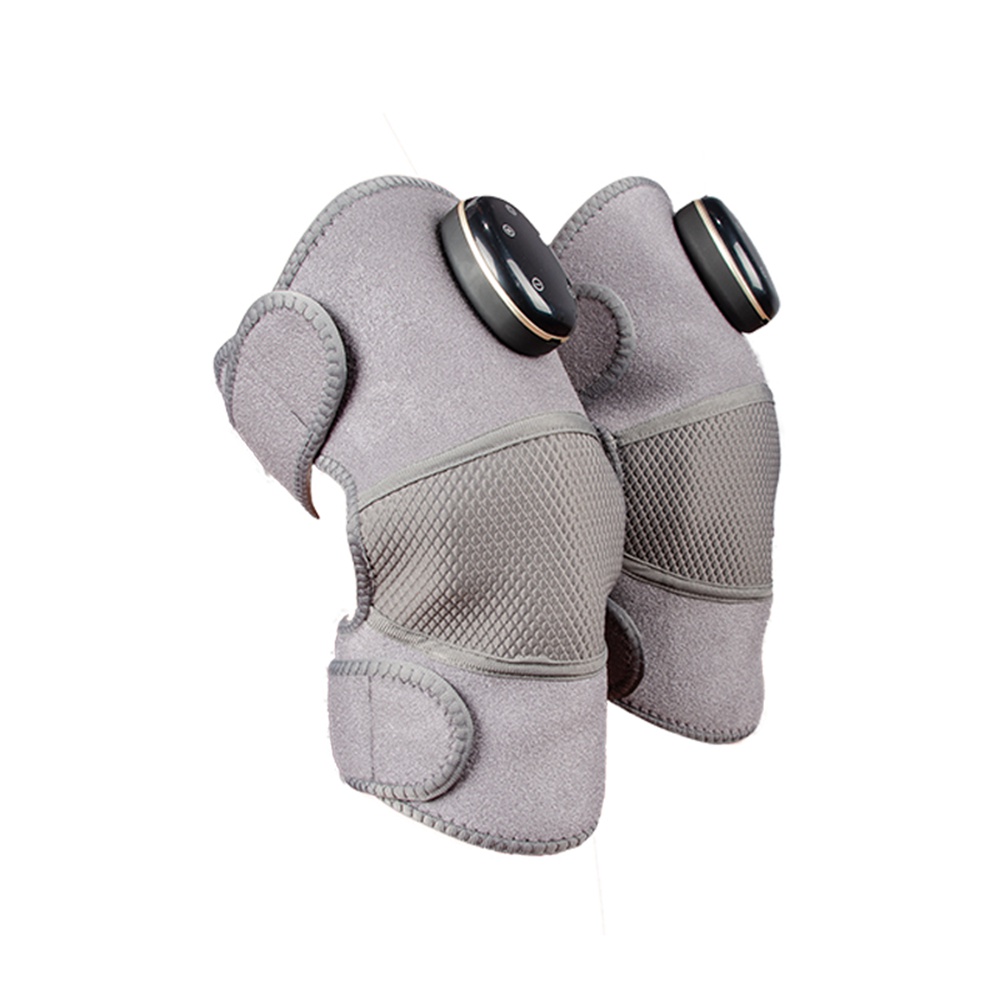
The angled catalogue view locates the black face on the grey wrap and gives the supplier a region to mark.
Use the catalogue photo to locate the face
The Kangyunlai product listing identifies the model as HF-198. Its photographs show a dark oval face with several visible marks on the controller. Start the enquiry with one complete product image and a marked copy that highlights the face. This gives the supplier the context needed to identify the right area even when a close photograph is taken from a different angle. Kangyunlai HF-198 product listing
Refer to the visible marks by their positions in the marked image until the supplier returns its own annotation. Name the view when you describe the position. A mark that looks high in a frontal view may sit nearer the edge in an angled view. An explicit view reference helps two reviewers point to the same part of the face without guessing from a catalogue image.
Request a drawing identifier and revision
Ask which manufacturer document shows the visible face for the version on offer. A marked drawing, controlled photograph or supplier face layout can work if the manufacturer gives it a stable identifier and revision. Ask for the exact identifier as it appears in its records, along with the offered controller or unit reference.
If a single drawing covers several variants, request the page or callout that applies to the sample under discussion. If no drawing identifier is available, ask the supplier to identify the marked photograph it can stand behind for the quotation. Record that answer as given, with the dated reply and the version to which it applies. The buyer then has a reference that can be retrieved during sample review.
Buying field
Requested supplier response
Offered product
HF-198 and the supplier’s version reference on the quote.
Marked region
Complete product view with the controller face indicated.
Face reference
Manufacturer drawing or marked photograph ID and revision.
Visible marks
Manufacturer annotation tied to the marked face view.
Sample correspondence
Actual sample identifier and applicable face revision.
Quotation correspondence
Exact quote line that carries the unit and drawing references.
The more frontal view helps the buyer point to the marks that need a manufacturer annotation.
Keep the sample reference with the marked view
Ask the supplier to confirm which marked view applies to the physical sample it is quoting. Put the sample identifier and drawing revision on the same review line. A catalogue image can remain in the file for context. The linked supplier view gives the buyer the specific layout to compare with the sample.
At sample review, note visible differences in the arrangement, location or appearance of marks and send them back with the marked reference. Keep the observation tied to its photograph and sample identifier. Ask whether the returned revision already covers that sample, or whether the supplier needs to provide a different reference. Record the supplier’s answer before copying the face layout into a buyer specification.
Link the face record to the quotation
Include the model, offered version, sample identifier and marked-view revision together in the RFQ response. A buyer can ask: “Please return your annotated view of the HF-198 face shown in the attached reference. Include its file identifier and revision and confirm the sample and quote line it applies to.” This gives the supplier a concrete response format and leaves naming of the marks with the manufacturer.
Where two quote lines show similar catalogue photographs, retain a separate applicability statement for each line. A repeated model heading can coexist with several supplier references. Ask the supplier to say which revision is offered on each line. If the answer is incomplete, identify the missing field in the review record so a subsequent buyer can see which part of the comparison remains open.
The wider view gives whole-product context for the controller location.
Record changes without losing the earlier reference
If the supplier changes the marked face drawing during the quotation, retain the earlier file and record which sample and quote line it covered. Ask for the revised file identifier and the change it makes to the visible layout. This keeps the purchasing record usable when catalogue photographs or quote attachments are updated later.
Keep the face drawing in a separate field from the supplied wrap set. A buyer may need both references for the same offer. Link each record to the exact quote line and keep its version visible. HF-198 supplied wrap set enquiry
Checklist for the manufacturer reply
Exact offered HF-198 version and quote line.
Marked whole view and annotated face file.
Drawing identifier, revision and applicable sample.
Any face-reference fields still awaiting confirmation.
Buyer FAQ
Which image should I attach to the enquiry?
Attach a complete product view and mark the controller face. Ask the supplier for the corresponding annotated close view or drawing.
What if the supplier has no drawing number?
Ask for a named or dated marked photograph and written confirmation of the sample and quotation it covers.
How do I record a revised face view?
Keep both file references, identify the changed visible region and ask which sample and quote line the revision applies to.
Can several quote lines use the same face drawing?
Ask the manufacturer to identify every offered version covered by that drawing and record the applicability on each line.
wholesale knee careB2B supplier sample record