
HF-368C RFQs: Define Bluetooth Music Controls
An HF-368C Bluetooth music RFQ should request a product-specific pairing procedure, the supported audio-source arrangement, and a clear map of the controls used for music. Kangyunlai lists Bluetooth and music among this eye massager’s functions, but the product page does not provide those operating details. Ask the supplier to demonstrate the quoted version with an identified source device and record exactly what was shown, rather than assuming universal compatibility or remote control of other functions.
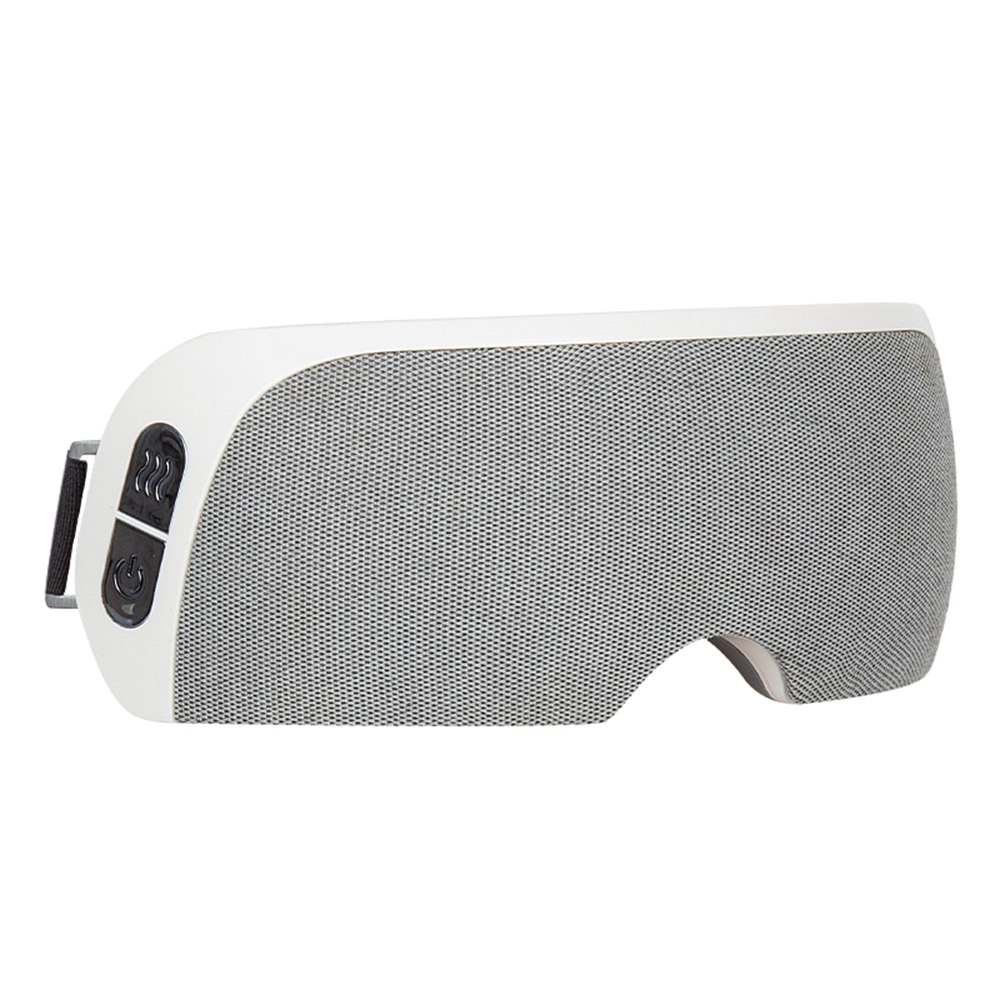
Official front catalogue reference for the HF-368C listing. The housing and visible controls identify the product; Bluetooth behaviour requires instructions and a demonstration for the quoted version.
Turn a feature name into a defined supplier response
The Bluetooth eye massager listing identifies model HF-368C and includes Bluetooth and music in its function list. It also lists a Type-C charging interface. These catalogue fields help locate the product, but they do not explain how a buyer connects an audio source or operates music on the offered version.
For wholesale eye care equipment sourcing, keep this enquiry focused on the audio feature. Request the current instruction page and a short demonstration tied to the model and sample reference. The deliverable should show what the supplier is offering, including any limits or functions that remain to be confirmed.
Ask where the music comes from
A music feature may be described in different ways across equipment catalogues. Ask the supplier to explain the arrangement used by this HF-368C version: what device or source provides the audio, which connection is required, and which steps the user follows. Do not turn a generic Bluetooth label into a promise about every phone or audio application.
Enquiry field
Supplier deliverable
Record with the result
Audio source
Explanation of the supported source arrangement
Source device and relevant version details
Pairing
Current model-specific connection instructions
Observed device name and connection indication
Music controls
Button map and supported actions
Control location and instruction reference
Demonstration
A continuous explanation using the quoted sample
Sample code, conditions and observed outcome
If the supplier offers more than one audio configuration, request a separate description for each option. This prevents the enquiry from combining features belonging to different versions under the same general product name.
Supplier’s original annotated control-location image. Its labels identify catalogue functions and positions, not a complete button sequence or a verified operating result.
Request a button map with the missing details filled in
An official catalogue image points to music, indicator, heating, power, and mode functions around the visible controls. It is useful for identifying where to ask a question, but it is not a complete operating sequence. Request a table connecting each relevant control to its supported music action and the supplier’s instructed input.
Ask which actions, if any, are performed on the source device instead of on the massager. For example, the supplier should explain where playback and volume are controlled rather than leaving the buyer to assume both are available on the product. Keep absent or unconfirmed actions clearly identified in the response.
Separate music control from other product functions
The HF-368C page lists other functions alongside Bluetooth music. Ask the supplier whether those functions have independent controls and whether using the audio feature changes their operating state. This is a request for a functional explanation, not a recommendation to use any function on a person during evaluation.
Request the current manual and follow the supplier’s applicable setup and handling instructions for any demonstration. The catalogue’s function list does not establish remote control through a phone, an application requirement, or a particular relationship between audio and the other modes. Record the supplier’s answer for the exact version being quoted.
Official inner-side catalogue view. This identifies another aspect of the listed product and does not establish therapeutic benefit, fit, safety or an audio function.
Make the demonstration reproducible
Ask the supplier to identify the sample at the start of the recording and show the source device used. The demonstration should explain the connection procedure, identify the resulting connection indication, and show the music actions included in the offer. Keep the relevant manual version with the video so the instructions and observed behaviour can be compared.
Identify the HF-368C sample and the offered version.
Record the source device and the supplier’s stated setup.
Show the controls involved without omitting the explanatory steps.
List the actions demonstrated and any remaining open questions.
A successful demonstration describes what happened with that sample and setup. If the order requires a wider compatibility scope, specify which additional devices or conditions need evaluation. Keep those requested checks distinct from a broad statement that the product works with everything.
Approve the audio description used in the quotation
Compare the quotation, instructions, and demonstration before approving the music-feature wording. Resolve mismatched model references or unsupported descriptions with the supplier. If the proposed version changes later, request the affected instructions and demonstration again as part of that change, rather than assuming identical behaviour from a similar housing.
A short enquiry can ask: “For HF-368C, please explain the Bluetooth music source, provide the pairing instructions and music-control map, and demonstrate them on the quoted sample.” Send it through the supplier contact page. The equipment articles offer broader catalogue context; the specific functional response defines this purchasing requirement.
Frequently asked questions
Does Bluetooth mean there is a phone-control app?
The reviewed page does not state app support. Ask the supplier what the Bluetooth connection does and which controls belong to the product or source device.
Can the catalogue image provide pairing instructions?
It identifies control locations and labels. Request the model-specific sequence and a demonstration instead of inventing button gestures from the image.
What proves the offered audio scope?
Use a consistent quotation description, current instructions, and a recorded demonstration bound to the identified sample and stated source-device setup.
HF-368C sourcingBluetooth musicControl instructions